
On this page
Short answer: a cloaker with a landing page builder lets you create the white page, the presell and the offer page in the same account that filters the traffic, and serves them from the same place. You skip the separate builder, the separate host, the HTML export and the script install, and a page change goes live without re-uploading files.
Most cloakers in 2026 still assume you build and host pages somewhere else. A few now ship some kind of page tool, but "page builder" means very different things from one vendor to the next: an AI generator for safe pages, an uploader for HTML files, a template editor or a full builder with hosting. This guide sorts them out, with sources, and shows what to check before you pay.
The usual stack, and where it breaks
A typical media buyer's setup without a built-in builder looks like this:
- 1A page builder or a downloaded template for the offer page and the presell.
- 2Hosting (shared hosting, a VPS or a static host) for those pages, plus SSL on every domain.
- 3A white page, often a second site on a second host.
- 4The cloaker's script (PHP or JS) installed on the hosting, pointing at the right files.
- 5A tracker for clicks and conversions.
Every hand-off is a place to break something:
- Exported HTML loses its paths. Images, CSS and scripts point at the builder's CDN or at folders that don't exist on your host.
- Edits mean re-uploading. Change one headline and you export, upload and re-test.
- The white page drifts. It's built once, forgotten and gets stale next to an offer page that changes weekly.
- Domains multiply the work. Every new domain needs hosting, SSL, the script and the pages again.
- Several bills. Builder, hosting, cloaker and sometimes a tracker, each with its own limits.
That's the problem a builder inside the cloaker is meant to solve. Whether it does depends on what the vendor actually ships.
What "builder" means, vendor by vendor
We sorted the tools we could source into five levels, from "you bring everything" to "everything in one account".
| Level | What you get | Examples (as published, November 2026) |
|---|---|---|
| 0. No page tool | Filter only. You build and host all pages | Just Cloak It, Palladium, TrafficArmor, MagicChecker, hoax.tech, FraudFilter |
| 1. AI safe-page generator | A generated white/safe page, usually not the offer page | Adspect (AI Safe Page Generator that "creates complete WordPress websites"), Cloaking.House (AI White Page, priced per page), CloakUp (safe-page generator on its Scale plan) |
| 2. Hosted uploads and templates | Upload your HTML or start from a template; vendor serves it at your URL | Cloakilio Cloud Pages (upload HTML/CSS/JS or templates, plus an AI creator that assembles pages from templates) |
| 3. Editor on your own server | A landing editor inside a self-hosted tracker | Keitaro ("Landing page editor" on all plans; you run it on your VPS) |
| 4. Page builder + hosting, filter link not documented | An editor inside the filter product, with pages hosted by the vendor | TrafficShield ("Legacy Page Builder" on Starter, "Legacy/AI Page Builder" on Advance and Premium; its docs say builder pages are "automatically hosted within the TrafficShield ecosystem") |
| 5. Native builder + hosting + filter | Build, host and filter every page type in one account, nothing to install | HidePages |
Checked November 2026 on each vendor's official site or docs. Features may change; "not documented" means we couldn't find it on the vendor's public pages.
A few notes so the table stays fair:
- TrafficShield is the closest builder overlap among global tools. Its pricing page lists the builder on every plan, and its docs say builder pages are hosted by TrafficShield. What we couldn't find documented is how those pages connect to its filter; for your own pages, its integration page describes a JS method (JavaScript redirect) and a PHP method (302 redirect or PHP include). See HidePages vs TrafficShield for the side-by-side.
- Cloakilio hosts your pages and serves them at the same URL without a redirect, which is a real overlap with HidePages. Its public pricing page describes uploads, templates and an AI creator; it doesn't describe a visual editor.
- Keitaro's editor is genuinely useful if you already run Keitaro, but you host everything on your own VPS. See HidePages vs Keitaro.
- The White Rabbit has no page builder. Its "Funnel Builder" maps lander URLs for tracking, and its help center suggests generating a safe page with an AI and hosting it elsewhere.
- Newer Brazilian tools (Cloakby, CloakForge) market AI-generated safe pages and presells. Check what they host before you count that as a builder.
Why building pages in the filter matters
1. The white page stays real and current
A white page shouldn't be an empty shell. It should be a real page that makes sense for the ad: real content, a clear purpose, a fast load. When it lives in the same editor as the offer page, updating it takes minutes, so it doesn't rot. Our guide to what a white page is covers what a good one contains.
2. Presells and subpages without another host
Presells, advertorials and quiz pages are where many funnels win or lose. In a builder with subpages, the presell, the offer page and a back-redirect page sit under the same campaign. No extra domain, hosting or SSL to manage.
3. A/B tests without a separate tool
Testing two presell headlines normally means a tracker rotation plus two hosted pages. With A/B tests in the builder, the split happens where the page is served, and results come back in the same dashboard.
4. No export, no paths, no script
The page and its assets live in the same place the filter answers from, so nothing breaks in transit. That is also what makes no-redirect serving practical: when the campaign URL answers with the page, the page has to be hosted by whoever answers. We explain the mechanics in cloaker without redirect.
5. One place to read what happened
When the page and the filter share a system, a request in the logs is tied to the page that was served. You can see which page went to which visitor and why.
How it works in HidePages
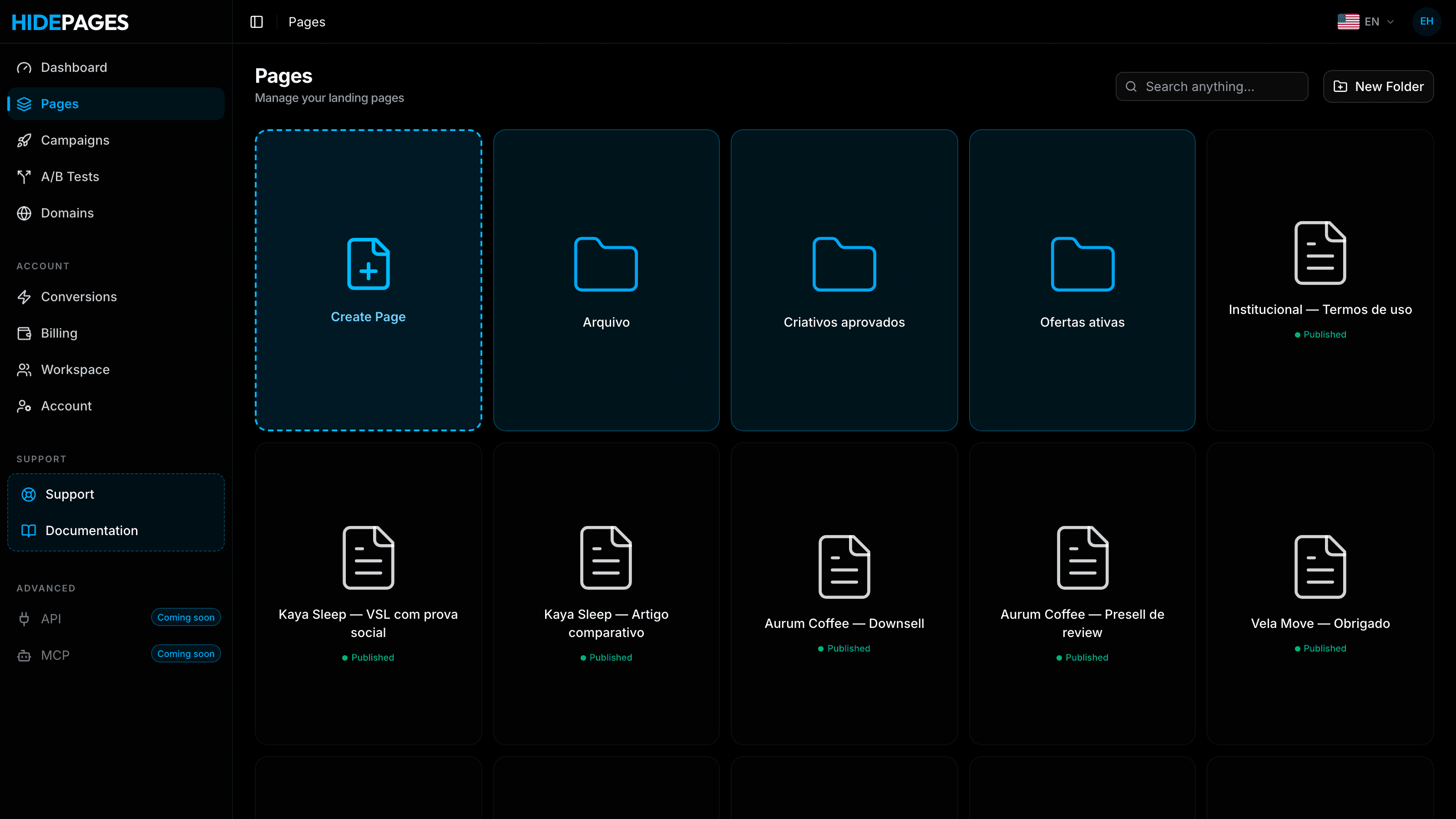
HidePages is a page builder with a native traffic filter (Zero-Redirect) for 15+ traffic sources. The builder isn't an add-on: pages and filter run on the same hosted technology.
Four ways to create a page
- Blank editor: build from scratch.
- Import by code: paste HTML you already have.
- Clone by URL: copy a site into the editor and edit it. Only clone pages you own or have the rights to use.
- Templates: start from a ready layout.
Two ways to use an external page
- Mirror mode serves an external page at your campaign URL without a redirect.
- Redirect mode sends the visitor to an external URL when you want that, for example an affiliate network link.
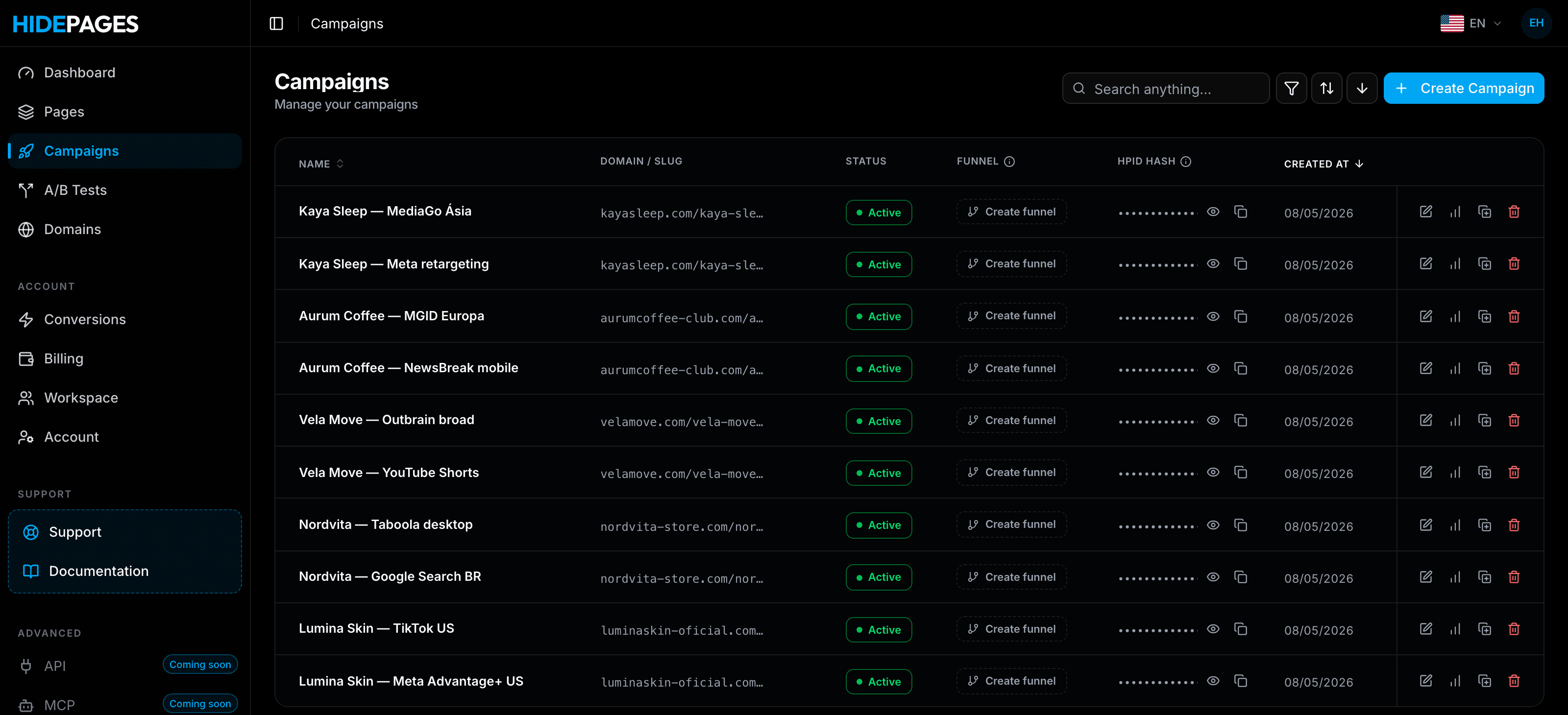
Funnel pieces in the same campaign
- Subpages for presells and back redirect.
- A/B tests between page versions.
- Upsell funnel after the offer.
Filtering per page
Each page can have its own filter: bots, spy tools, suspicious connections, geolocation, language, device and campaign parameters. Every request lands in the Access Logs with its status (black or white) and the reason.
Plan limits that matter for builders
Page counts are part of every plan, so check them against your funnel:
| Plan | Price/month | Pages | Domains | Campaigns | Requests |
|---|---|---|---|---|---|
| Essential | $47 | 30 | 10 | 10 | 20,000 (Meta + TikTok only) |
| Starter | $97 | 60 | 30 | 30 | 20,000 |
| Growth | $197 | 140 | 50 | 50 | 100,000 |
| Scale | $397 | 160 | 80 | 80 | 400,000 |
| Enterprise | $697 | Unlimited | Unlimited | Unlimited | 1,000,000 |
Plans are monthly, with no contract. Full math in HidePages pricing explained.
What a builder doesn't solve
Be clear-eyed about the limits:
- It doesn't write the offer. Conversion still depends on copy, angle and the offer itself.
- It doesn't make a page compliant. Your pages and offers still need to follow each platform's policies and local law.
- It doesn't replace a full tracker if you need multi-touch attribution across many sources. See cloaker vs tracker for how to split the jobs.
Checklist: evaluating a cloaker's builder
Ask these before you buy, and test them on a trial or your first month:
- 1Does it build offer pages and presells, or only safe pages? An AI safe-page generator is not a funnel builder.
- 2Who hosts the pages? If the answer is "you", you still need hosting, SSL and a script.
- 3Can you import existing pages (code or URL) so you don't rebuild everything?
- 4Are subpages, A/B tests and upsell steps supported in the same campaign?
- 5Are pages served without a redirect at the campaign URL?
- 6How many pages and domains per plan? Page limits hit before request limits in many funnels.
- 7Is the builder on every plan or gated behind a higher tier or a per-page fee?
- 8Can you see which page each visitor got in the logs?
- 9What happens to your pages if you leave? Can you copy the code out?
Who should use which setup
- You already have a builder and hosting you love, and only need filtering: a filter-only tool may be enough. Compare prices in cloaker pricing 2026.
- You run Keitaro on your own VPS: its landing editor plus an external filter works if you're happy maintaining the server.
- You want hosted pages but already have HTML: hosted-upload tools (Cloakilio, HidePages import) fit.
- You want to build, host and filter every page in one account, with nothing to install: that's the case HidePages was built for. If you're moving from another stack, assisted migration is free.
New to the category? Start with what a cloaker is and the best cloakers of 2026.
FAQ
It is a traffic filter that also lets you create and host the pages it serves: white pages, presells and offer pages. You build the page in the same account, attach a filter rule and the campaign URL serves the right page, with no separate builder, hosting or script.
TrafficShield lists a "Legacy/AI Page Builder" and hosts the pages it builds, Cloakilio hosts uploaded pages and templates through Cloud Pages, Keitaro has a landing editor on your own VPS, and HidePages has a native builder with hosting. Adspect, Cloaking.House and CloakUp offer AI safe-page generators, which build safe pages only.
No. An AI generator creates a safe page, often a generic site. A builder lets you create and edit every page in the funnel, including presells and offer pages, and test versions. Check what the tool hosts and whether you can edit the result.
Yes. You can import pages by code or clone a site by URL into the editor, then edit them. Only clone pages you own or have rights to. If you're migrating many pages, the HidePages team helps for free.
It depends on the vendor. With HidePages and Cloakilio's Cloud Pages, the vendor hosts the pages. With Keitaro's editor you host on your own VPS. For other builders, check the docs: if pages need your server, you still pay for hosting and SSL.
No tool can promise that. Platforms prohibit showing reviewers different content from what users see. A builder helps you make real, fast, well-organized pages and keep them current. Following each platform's policies is still up to you.
Builder + filter in one layer
Protect your offers before the next spy finds them.
Build your pages, set the filter rules and launch — with Zero-Redirect delivery and every request explained in real-time logs.
- Setup in minutes
- Zero-Redirect
- Free assisted migration