The problem: fake leads cost you more than the click
In lead gen, you pay twice for bad traffic: once for the click and again when the lead comes back rejected.
Bots fill forms. Automated traffic from datacenters, proxies and scripts doesn't just click; it submits. Fake names, recycled emails and phone numbers that never answer land in your buyer's CRM. Your approval rate drops, your payout tier slips and the buyer starts asking questions.
Bad leads poison the pixel. Every bot submission can fire your lead event. The ad platform then optimizes toward more traffic that looks like it, and the next week's leads get worse. Removing junk after the fact doesn't undo that signal.
Buyers have strict GEO and device lists. One buyer takes three states, another takes one country and mobile only. A lead from outside the list is a lead you can't sell, but you still paid for the click.
Your quiz funnel gets copied. A quiz that qualifies well is hard to build and easy to rip. Spy tools index it, competitors clone it, and the angle you tested for weeks shows up in someone else's campaign.
Forms lose people on slow pages. Every redirect in front of a form adds a round trip on mobile, and every extra second before the first field is visible costs submissions.
For a deeper look at where fake traffic comes from, see how to stop fake traffic and block bots.
How HidePages solves it
HidePages is a page builder with a native traffic filter (Zero-Redirect) for 15+ traffic sources. For lead gen, the point is simple: junk never gets to see the form.
Filter before the form exists
Each page gets its own filter. Turn on detection for bots, spy tools and suspicious connections, set GEO rules to match each buyer, add language and device rules, and require the campaign parameters your source always sends (a missing click ID is a good sign of trouble). A visitor who fails a rule gets a real, on-topic page with no form. They never become a lead, so they never reach the buyer or your pixel.
Host forms and quizzes in the same account
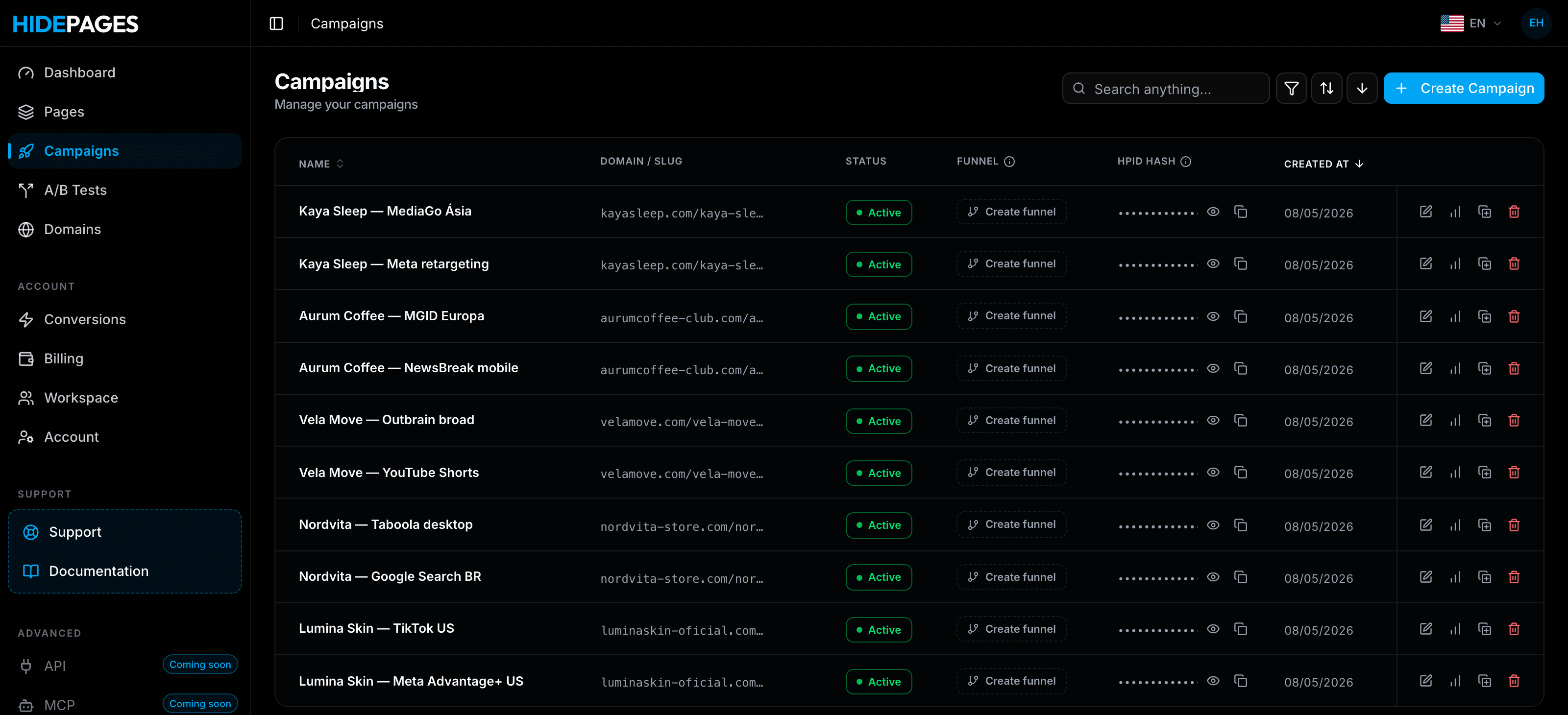
Build the form page or quiz in the native builder, from a blank editor, a template or your own code, or clone an existing page by its URL. Keep the form posting to your CRM or the buyer's endpoint as it does today. Add a thank-you page and legal subpages, and run A/B tests on headlines, steps and form length.
Serve with no redirect
The campaign link answers directly with the page the rule chose, with no second hop. Other tools also offer no-redirect modes, usually on your own server or PHP. HidePages pairs it with hosted pages, the builder and per-request logs, with nothing to install.
Logs you can show a buyer
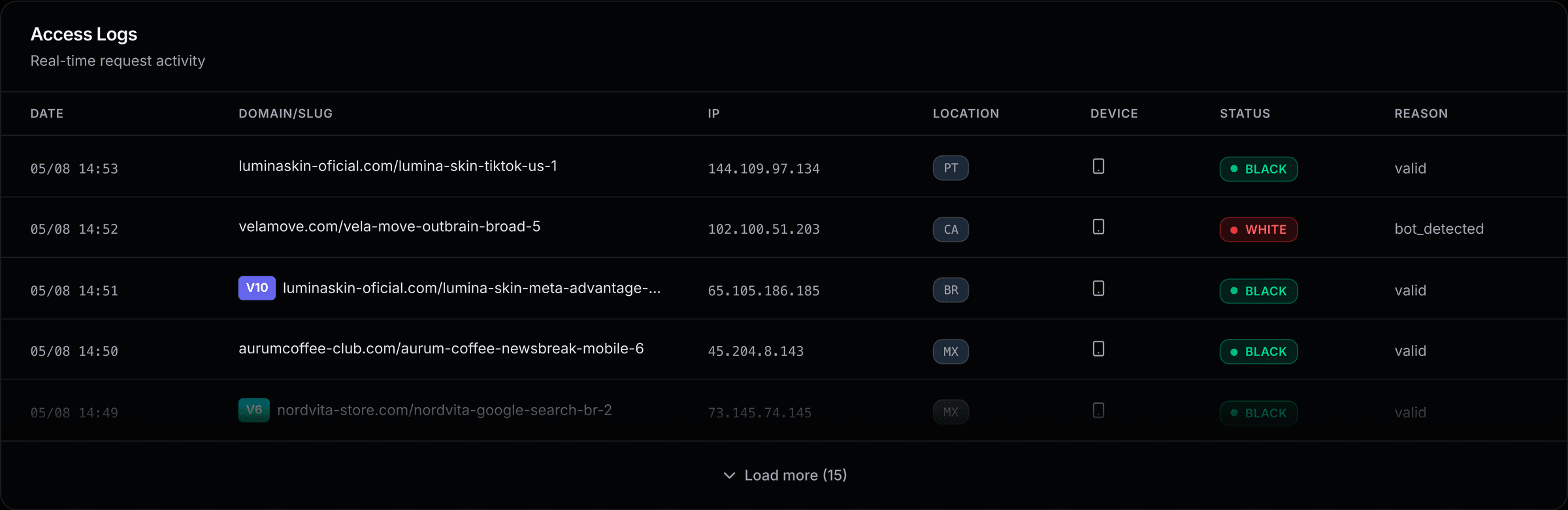
Every request lands in the Access Logs with its status (black or white) and the reason, such as bot_detected. Pass the source and placement into your campaign parameters so they show in each request, compare them with the leads your buyer rejected, and exclude the placements that keep sending junk.
What you can build for lead gen
- Single-step lead forms. A focused page with the form above the fold, one per buyer or GEO.
- Multi-step quiz funnels. Qualifying questions first, contact details last, so only interested visitors reach the form.
- Thank-you and next-step pages. Confirm the submission and set expectations for the call or email.
- A real white page. A useful article on the same topic, without a form, for visitors the filter screens out. See what a white page is.
- Legal subpages. Privacy policy and terms that open for every visitor, filtered or not.
- A/B variants. Short form vs. multi-step, headline A vs. B, with the same consent text in every version.
HidePages vs. a separate form builder + cloaker + tracker
| Form builder + cloaker + tracker | HidePages | |
|---|---|---|
| When junk is stopped | Often after the form is submitted | Before the form page loads |
| Where the form lives | A builder or your own hosting | Built and hosted with the filter |
| GEO rules per buyer | Spread across tools | Set on each page |
| Hops before the form | Often one or more redirects | Zero-Redirect |
| Proof for the buyer | Several exports to reconcile | One log line per request, with the reason |
| Setup | Server, PHP or scripts in some tools | No server, no code |
| Switching cost | Rebuild it yourself | Free assisted migration |
Plans
Plans are monthly in USD, with no contract, billed by requests. Essential ($47, 20k requests) covers Meta and TikTok only, which suits a solo buyer testing CPL offers there. Starter ($97) opens every source, including Google Ads and native networks. Growth ($197, 100k requests), Scale ($397, 400k requests, VIP support) and Enterprise ($697, 1M requests) fit teams running several buyers and sources. The useful number is cost per approved lead, not cost per month. Compare plans in the pricing section.
FAQ
A traffic filter that checks each visitor before your lead form or quiz loads. Real people who match your rules see the form; bots, datacenter traffic and off-target visitors get a different, real page without one.
No. It removes the automated and off-target share, which is where most bot submissions come from. Human lead farms and people typing fake data still need phone and email validation, duplicate checks and your buyer's feedback.
No. The ad network charges the click before any filter sees the visitor. What the filter protects is what comes next: approval rate, buyer trust and pixel data. The logs also show which placements to exclude.
The filter only sees visitors who reach your URL. Leads submitted inside the ad platform never touch your page, so validate those in your CRM.
Yes. Your form keeps posting where it posts today, and your tracker can stay for attribution. HidePages takes care of the pages and the filter.
Clone each page by URL or import its code, then set the rules per page. Migration is assisted and free: talk to the team on Telegram at @hidepages.
Keep reading
- Best cloaker for lead generation in 2026: the ranking with lead gen criteria
- Migrate to HidePages: how teams move pages and rules
- What is a cloaker?: how traffic filtering works, from scratch
Builder + filter in one layer
Protect your offers before the next spy finds them.
Build your pages, set the filter rules and launch — with Zero-Redirect delivery and every request explained in real-time logs.
- Setup in minutes
- Zero-Redirect
- Free assisted migration